
The system default message schedule for behaviour and homework messages can be altered to be sent at a time preferred by a school using Advanced communications in the GO 4 Schools MIS.
The default is set for 6:00pm UK time either daily or weekly for Behaviour event messages and 4:00pm UK time for Homework task updates.
Advanced communications needs to be enabled to schedule messages in the GO 4 Schools MIS. See Setting up MIS Communications. It is important to ensure the time zone is set to send messages in your school's local time. Go to Settings > School settings and contact details > School details tab to adjust the time zone.

Permissions
Permissions to 'manage schedule' for behaviour and homework messages are required.
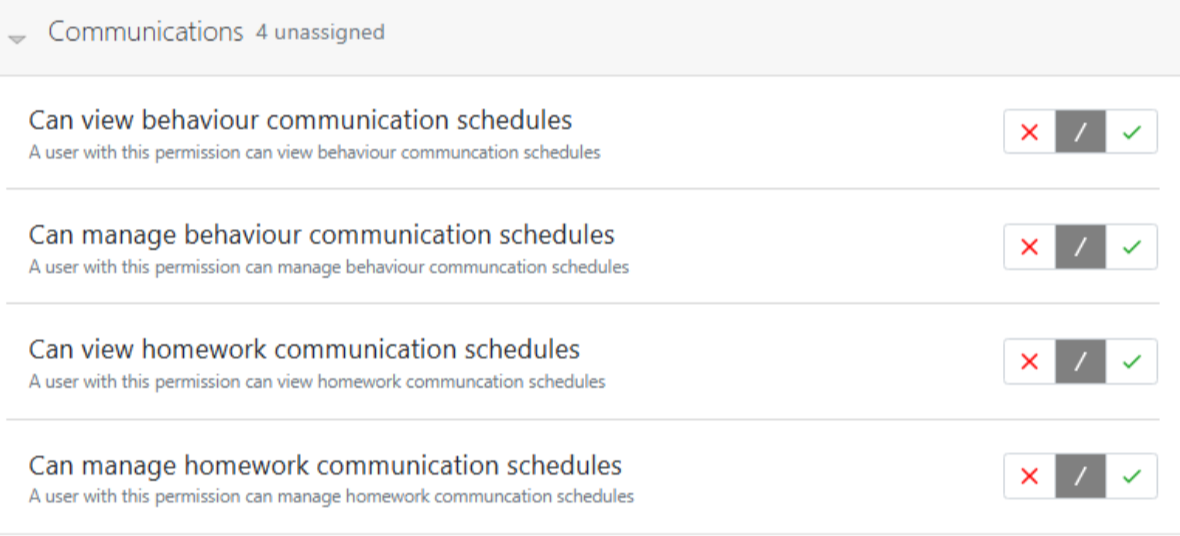
Changing the default schedule
Go to People > Communications > Message templates; the page will display a column with a time for any scheduled message.
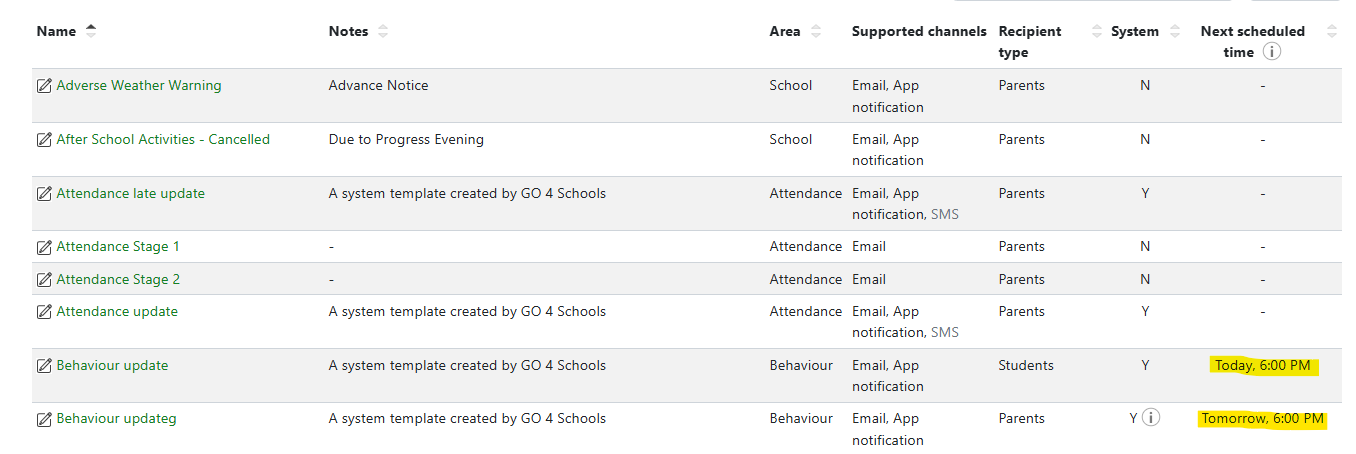 Select the message to edit. On the template message page select the 'Schedule' tab to update the timings:
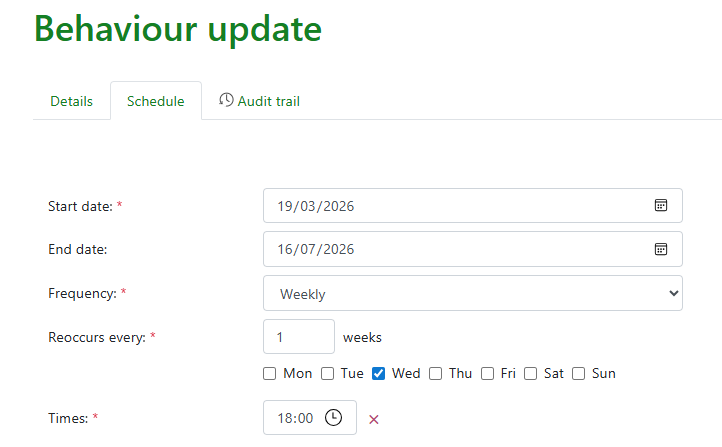
This page allows a start and end date for the schedule, frequency to be set daily or weekly, a reoccurrence, and the days to set the message as well as the time.
If you wish to return to the system default select the button in the top right.
Once set 'Save' your preferred settings.
To set times on generic messages please see the article - Scheduling communications