
The Email delivery status page can be found in Manage > System: Email status page. Its purpose is to show the delivery status and timestamp of the most recent email sent to each student, parent and staff member in the school. Please note, if someone has never been sent an email then they will not appear.
Permissions
To view this page you will need the 'Can manage Comms' and/or School Manager role.
Email status
Emails can have the delivery status of sent, deferred or bounced, and tabs allow you to choose between students, parents or staff.
A message at the top of the section will highlight whether any emails are in a state other than 'sent', and clicking on the message will filter the page to only show those.

The 'Search list' field allows you to search for a recipient, email address, delivery status or student.
Once filtered you can see emails which have failed to send:
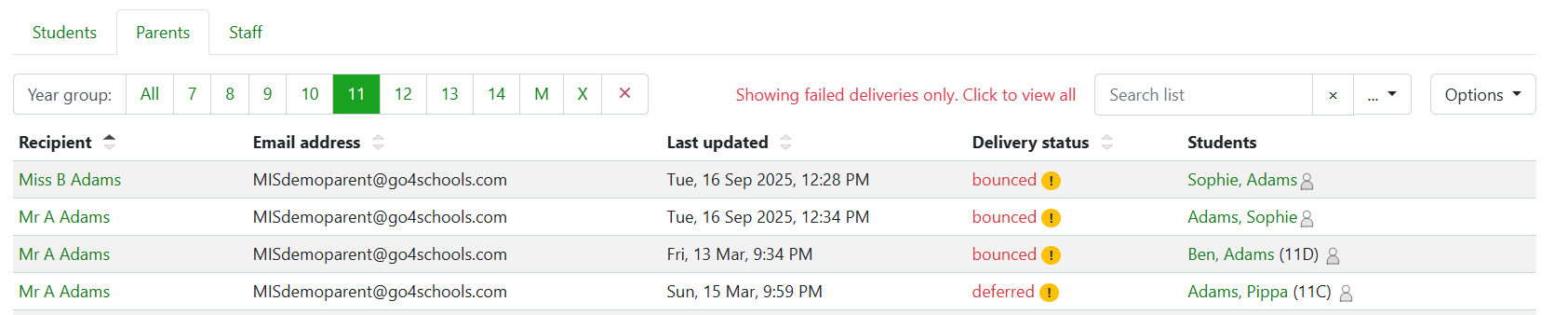
Hovering over the warning will display a tooltip with further information, this will include information regarding incorrect email addresses or full mail boxes for recipients which will enable a follow up:
