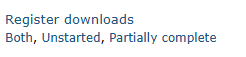
The advanced communications module needs to be enabled for the incomplete register notification to display. See the article for Communication settings.
- can-send-email-communications
- can-send-attendance-communications-to-staff
Message templates
The text for the messages can be found in People > Communications > Message templates:

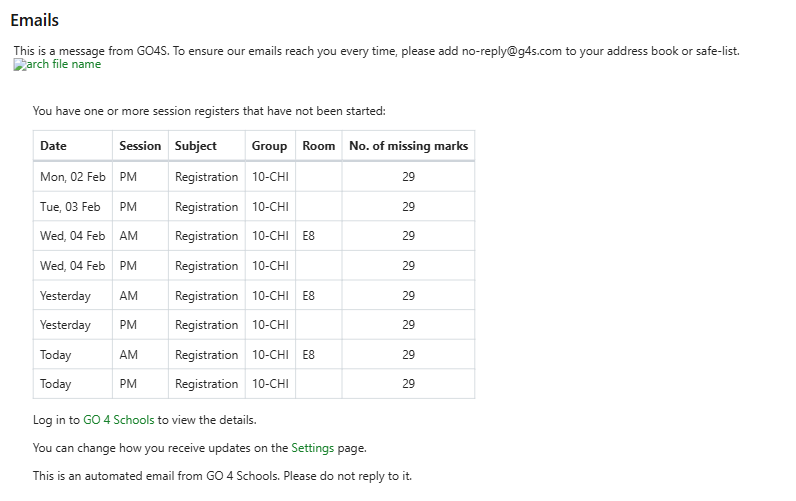
The standard templated message will show details of the missing registers:
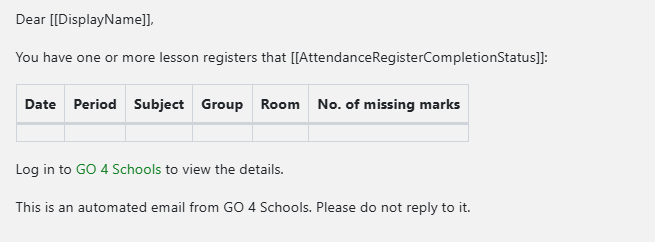
The can be edited as required but we suggest you do not alter the main content of the missing attendance information table.
Template-specific tags
- These are tags specific only to these system templates and can be used in the tags list when overriding the template.
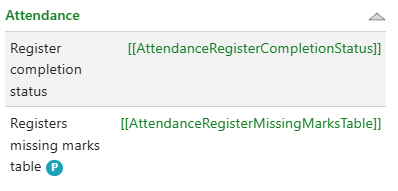
- [[AttendanceRegisterCompletionStatus]] tags will be replaced by:
- If the registers are unstarted, it will be replaced by have not been started
- If the registers are partially complete, it will be replaced by are incomplete
- [[AttendanceRegisterMissingMarksTable ]] tags will be replaced by:
- Table rows for every register selected related to the recipient staff member
- Registers are in the order - date, session, subject name. group
- Includes the columns:
- Date:
- If the date is today, date is shown as 'Today'
- If the date is yesterday, date is shown as 'Yesterday'
- If the date is any other day, it will show the date in the format 'Weekday, day month'
- Session (if session registers)
- Period (if lesson registers)
- Subject name
- Group name
- Room name
- Number of missing marks
- Date:
If the email channel is disabled in the template setting a message will show on the attendance status page:

Notifying teachers
Teachers can now be notified about incomplete registers via the Session and Lesson attendance pages. Go to Attendance > Session attendance.
The lists include unstarted registers and incomplete registers. Each list now includes an option to select staff to notify that the registers are not complete.
All teachers can be selected by using the 'Notify teacher' tickbox, and then selecting 'Notify' or individual staff can be selected from the list.

Once selected a pop-up will confirm the staff who will be notified that the register needs completing:
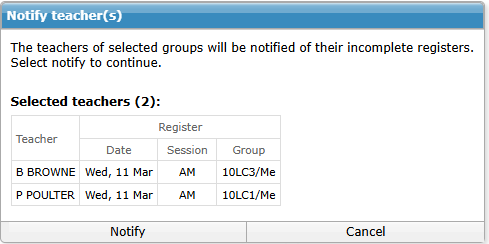
A timestamp will then display of when the notification was sent.

If the date range on the page is changed the information will reflect this:
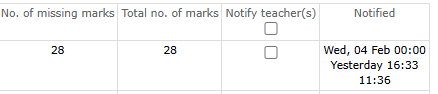
If the teacher has multiple incomplete registers the email will display as below, messages to staff will include school specific footers and details:
 A download is also available on the attendance status page to view details of all notifications: