
Manual notifications in the form of emails can be sent to detention supervisors to reminder them about any upcoming detentions that they have on today's date from the current time.
Permissions
To access this page users need to be assigned roles of school manager, behaviour manager, or detention manager. The school must also have managed detentions enabled and behaviour tracking enabled in the settings.
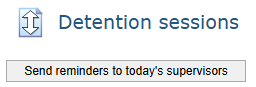
Go to Behaviour > Manage detention sessions > Send reminders to today's supervisors:
- The button is disabled if there are no upcoming detention sessions with supervisors today from the current time.
- This button is not visible for non-MIS schools and schools that do not have enhanced comms enabled.
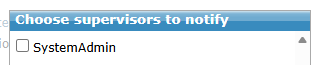
A Popup will show a list of all staff members that are supervisors for upcoming detention sessions today from the current time that are selectable by a checkbox next to their name.
If a staff member is a supervisor for more than one upcoming detention session today, they still only appear once in the popup.
Tick those that require an email notification then select 'Notify':
- Select/deselect all button will:
- Select all staff members if at least one staff member is not selected.
- Deselect all staff members otherwise.
A detention reminder email is created for each of the selected staff members then the Popup will close.
- All staff members are deselected for when opening the popup again.
- Notify is disabled if there are no staff members selected.
- Clicking cancel will just close the popup and deselect all staff members for when opening the popup again.
- If the the user opens the popup before a detention session has started but then clicks notify after the session has started without closing the popup, these sessions are ignored in the notifications. If a selected staff member ends up not having any sessions because of this, they are not sent a notification at all.
Viewing the email
- Email body has a table that:
- Lists every upcoming detention session on the day and from the time that the notifications were sent for the email's recipient.
- Detentions are in the order - time, session name then room name.
- Includes the columns:
- Session name
- Room name
- Start to end time
- List of other supervisors in alphabetical order
- Students in alphabetical order
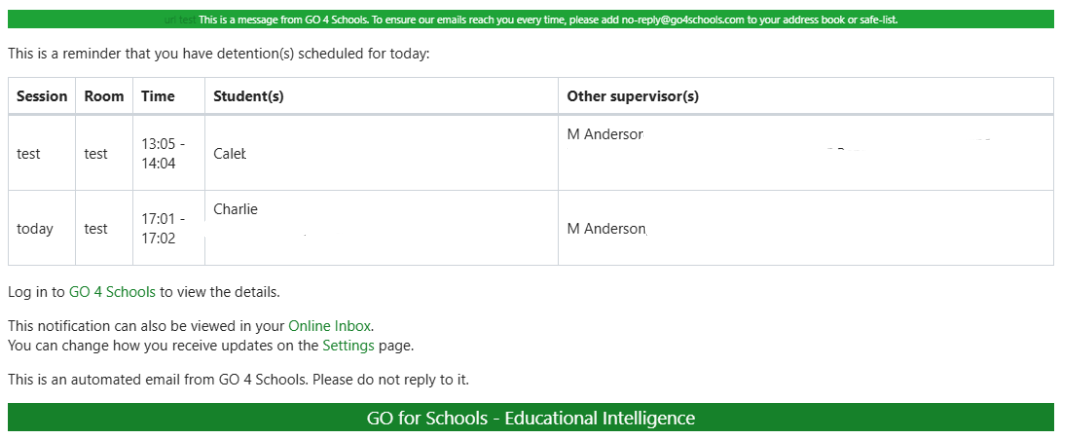
Email will include the School's header and footer if updated in Message templates.